Tiny Rooms Design And Decorate Guides & Walkthroughs
From empty room to cosiest vote—practical decorating advice in one hub.
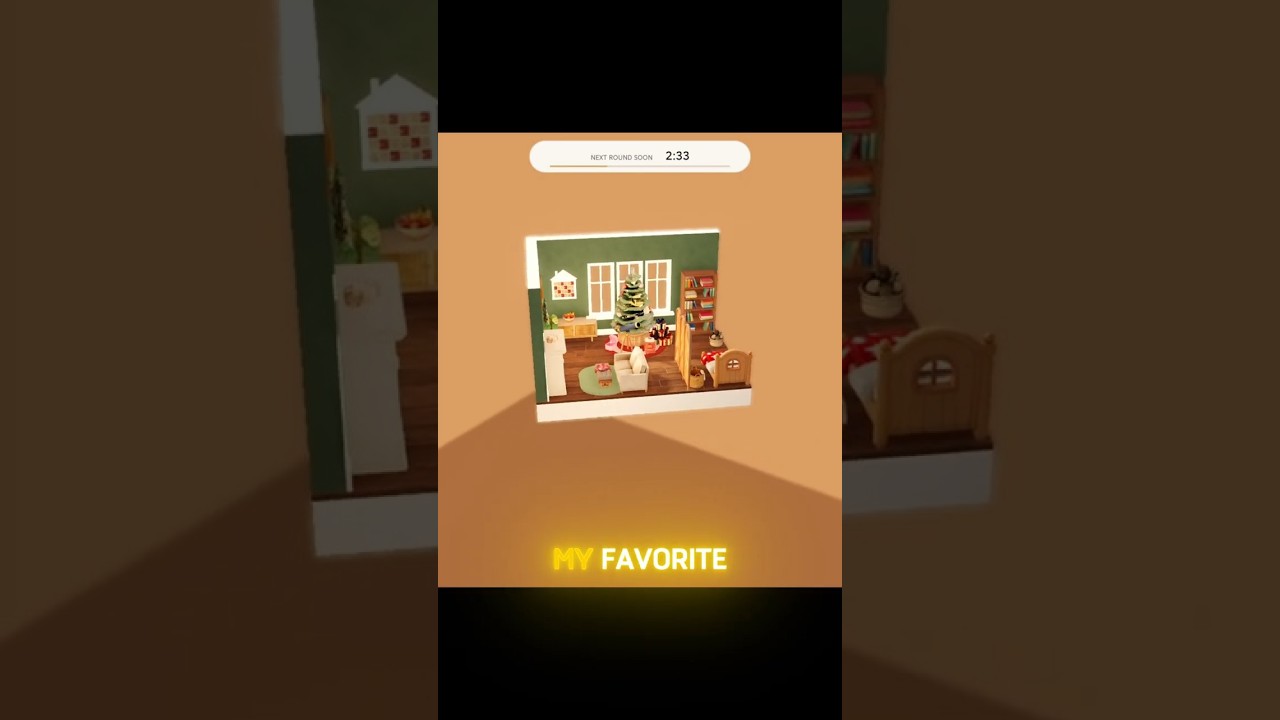
This guides hub is the map for Tiny Rooms: Design And Decorate, the OrchardField Studios Roblox experience where up to twelve players style a tiny space to a shared cozy theme, recolor furniture and textiles, tour each other’s rooms, and vote for the cosiest result. Soft colours, warm lamps, and fluffy rugs win more often than cluttered rarity dumps. Use these pages to learn the loop once, then refine taste across autumn bedrooms, Grandma living rooms, snug attics, balcony rooms, and two-storey lofts.
Start here
New to the game? Open Getting Started first. It covers joining a public server, reading the theme banner, placing anchor furniture before accents, locking a three-color palette, visiting neighbors without rushing, and voting on theme clarity instead of friendship alone. Come back to this hub whenever you need the full index.
How a Tiny Rooms round usually feels
- Lobby / empty room — You spawn into a compact canvas. Note camera controls and placement snaps before the timer stresses you.
- Theme reveal — Prompts lean cozy and domestic. Say the theme in three words (warm wood, soft textiles, amber light) so you do not overbuild.
- Decorate — Place large anchors (bed, sofa, table), then rugs, lamps, and recolors. Soft gradients beat neon clashes on small footprints.
- Visit — Walk other rooms. Notice silhouette, lighting hierarchy, and whether the theme reads from the doorway.
- Vote — Cosiness and theme fit matter. Fair votes keep lobbies healthy in a max-twelve server.
- Rewards — Leveling grants free spins that expand your catalog over time. Codes, when available, are a bonus—see the codes hub.
Skills every guide reinforces
Theme literacy. A snug attic wants sloped-ceiling thinking, storage nooks, and dimmer lamps. A balcony room wants outdoor-indoor blur: plants, light chairs, sunset tones. Grandma’s living room wants soft seating clusters and nostalgic textiles—not a nightclub LED strip.
Recolor discipline. Tiny Rooms shines when you recolor furniture, rugs, and lamps into one soft family. Pick a dominant, a support, and a sparkle highlight. Remove pieces that break the family early instead of burying them under more props.
Lighting as storytelling. Warm lamps create depth in small volumes. One bright overhead with no fill feels flat; layered lamps feel lived-in. Place light where a person would actually sit or read.
Negative space. Empty floor can read as calm. Overstuffed corners read as panic. Voters notice breathable layouts on tiny footprints.
Linked wiki paths that support guides
- Furniture Tier List Hub — which pieces pull weight for cozy readability
- Tools Hub — theme checklist and cozy color planner tips you can reuse every round
- Updates Hub — new themes and studio patches that change the catalog
- Players Hub — creators and community spaces worth following
- Scripts Hub — optional client tools with clear risk notes (not required to decorate well)
- Official Links — Roblox place and OrchardField Studios group
How to practice between sessions
Replay the same theme archetype twice: once maximal, once minimal. Compare which version earned clearer compliments in chat or higher votes. Screenshot doorway views—the first angle visitors see decides many scores. Keep a personal swatch note (cream, clay, sage, brass) so you stop reinventing palettes under time pressure.
When OrchardField ships seasonal furniture, skim updates, then run one “learning round” where you only test new pieces against an old palette. That habit beats dumping every unlock into one chaotic loft.
Deep guides index
- Getting Started — first-session loop, UI, and free-spin mindset
- How to Win — lighting, focals, clutter control, visit strategy
- Theme Design Tips — autumn, grandma, attic, balcony, and loft recipes
- Controls — PC and mobile placement, rotate, recolor, and camera tips
- Voting and Visits — doorway reads, fair cozy voting, and tour etiquette
- Free Spins and Levels — leveling loop, catalog growth, codes vs spins, patience vs Robux
- Recoloring — soft 2–3 colour rules, rugs/lamps first, mobile vs PC habits
For promo gifts, keep how to redeem codes bookmarked even while the active codes list is empty. Master the beginner path, practice fair visits, reuse the tools checklist, and treat every vote tour as free design school.
Frequently Asked Questions
Quick answers for Tiny Rooms Design And Decorate players.
Which Tiny Rooms guide should I read first?
Start with Getting Started for the full first-session loop, then How to Win, Theme Design Tips, Voting and Visits, Free Spins and Levels, and Recoloring as you specialize.
How do rounds work in Tiny Rooms Design And Decorate?
You get a theme, decorate and recolor a small room, visit other players’ spaces, vote for the cosiest designs, then collect progression rewards such as free spins on level-up.
What themes appear in Tiny Rooms?
Cozy prompts such as autumn bedrooms, Grandma’s living room, snug attics, balcony rooms, and two-storey lofts are common examples of the game’s soft domestic vibe.
Do I need scripts to follow these guides?
No. Guides focus on legitimate decorating skill. Scripts carry account risk and are optional research only.
How do I get more furniture?
Level up for free spins (see Free Spins and Levels), watch for OrchardField codes, and unlock pieces gradually. Cohesive recolors of common items often beat rare clutter.