Tiny Rooms Design And Decorate Theme Checklist & Color Planner
Text tools you can reuse every round—no download required.
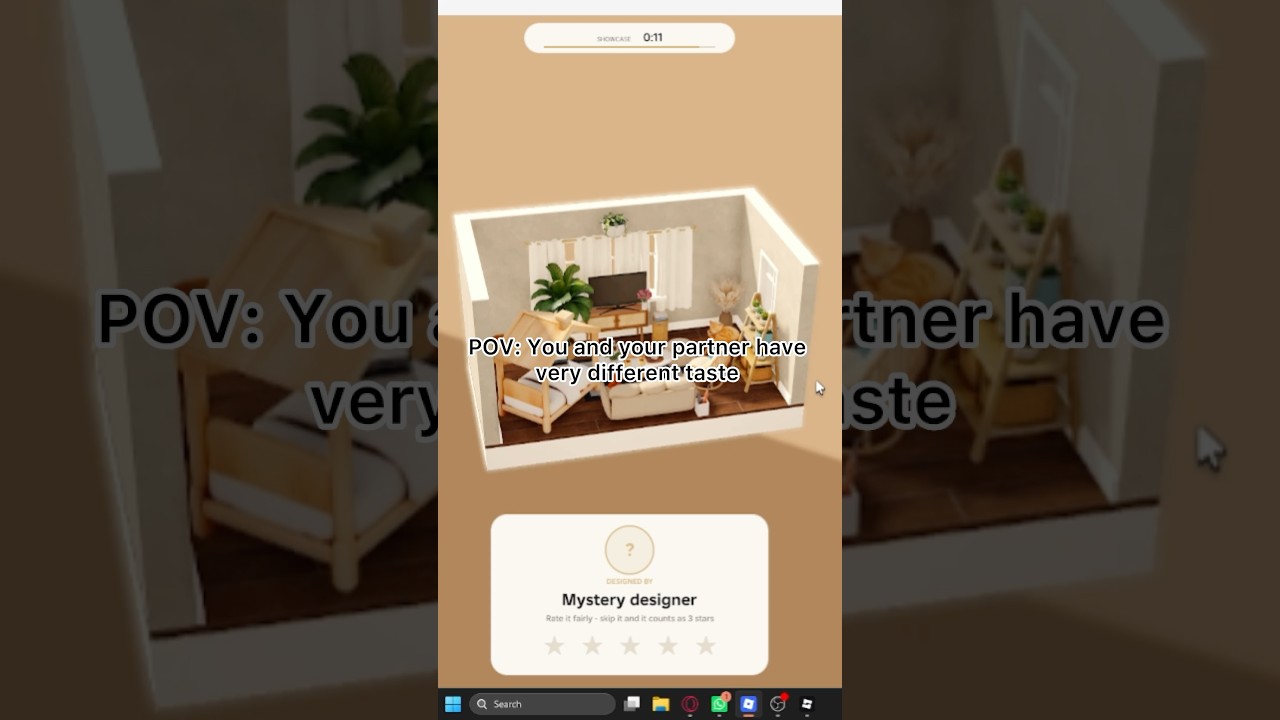
The Tools Hub gives Tiny Rooms: Design And Decorate players two reusable text tools: a theme checklist you can run in under thirty seconds, and a cozy color planner that keeps recolors soft under warm lamps. OrchardField Studios built a free Roblox loop where tiny empty rooms meet domestic themes, furniture recolors, neighbor visits, and cosy votes. These tools replace panic clicking with a repeatable process you can memorize.
Print nothing if you prefer—keep this tab open on a phone beside Roblox, or screenshot the sections below.
Tool 1 — Theme checklist (use at banner reveal)
Copy this mental list the moment the theme appears:
- Name the vibe in three words — example: “amber, textiles, quiet.”
- Pick the room job — sleep, sit, loft-live, balcony pause, attic stash.
- Choose one S-tier anchor — bed, soft sofa, or clear table (see the furniture tier list).
- Reserve floor for a fluffy rug zone — do not carpet every tile if the space needs calm.
- Plan two warm lamps — seat light + corner glow.
- List three story props max — basket, plant, frame; stop there until recolors finish.
- Doorway test — would a visitor understand the theme before walking in?
- Time gate — at half timer, freeze new placements; only recolor and nudge.
Theme-specific quick swaps
- Autumn bedroom — rust or clay textiles, lower lamp color temperature, layered throws.
- Grandma’s living room — seating cluster facing a soft focal point, nostalgic frames, contained clutter.
- Snug attic — lower visual weight, storage trunks, dimmer corners, avoid tall wardrobe walls.
- Balcony room — plants, lighter chairs, sunset-friendly cushions, indoor-outdoor bridge rug.
- Two-storey loft — vertical story without blocking the entry sightline; keep ground floor readable first.
Run the checklist even on familiar prompts. Muscle memory beats improvising under a twelve-player social timer.
Tool 2 — Cozy color planner
Lock colors before you fall in love with a random unlock:
| Role | Job | Soft examples |
|---|---|---|
| Dominant | 60% surfaces | cream, warm sand, pale clay |
| Support | 30% furniture body | muted sage, dusty rose, soft cocoa |
| Sparkle | 10% metal/lamp/trim | brass, aged gold, clay-pink accent |
Planner steps
- Recolor the rug to the dominant family first—it sets the floor temperature.
- Recolor large seating or bed to support; keep cushions one step lighter or darker, not a new hue.
- Recolor lamp shades toward parchment or blush; avoid pure white glare.
- Push wood tones warm; cold grey wood fights cozy voting vibes.
- If a prop cannot recolor into the family, remove it—do not “hide” it behind plants.
- Snapshot the doorway. If one object screams, it fails the planner even if it is rare.
Emergency salvage (last 60 seconds)
- Delete the loudest mismatched prop
- Unify rug + sofa first
- Add one lamp if the room is flat
- Stop adding new categories of furniture
How to combine both tools mid-session
Reveal theme → checklist items 1–5 → place anchor/rug/lamps → run color planner → checklist items 6–8 → visit phase study → note one planner tweak for next round. Pair with Getting Started until the sequence is automatic, then browse the wider guides hub.
Optional tracking sheet (text)
Keep a simple note per day:
- Theme played
- Dominant / support / sparkle used
- Result feeling (readable / muddy / rushed)
- One piece to unlock next via free spins or future codes
That tiny journal beats downloading shady “auto decorator” tools. Anything that needs an executor belongs in risk territory on the scripts hub, not in this legitimate toolkit.
When studio updates change the tools
New seasonal catalogs can introduce colder whites or glitter trims. After patches on the updates hub, revalidate your sparkle column. If winter themes arrive, swap autumn rust for soft pine and ivory while keeping the same 60/30/10 math.
Use these tools every round for a week. Your votes will stabilize because voters finally understand your rooms at a glance—and that is the real win condition in Tiny Rooms.
Frequently Asked Questions
Quick answers for Tiny Rooms Design And Decorate players.
Do I need to download an app to use these Tiny Rooms tools?
No. The theme checklist and cozy color planner are text workflows you can keep open beside the game.
What is the 60/30/10 rule here?
About sixty percent dominant soft surfaces, thirty percent support furniture color, and ten percent sparkle trim or lamp accent.
When should I stop placing furniture?
At roughly half the decorate timer, freeze new categories and spend the rest on recolors, lamp placement, and doorway cleanup.
Can these tools replace the furniture tier list?
They complement it. Tiers suggest which anchors to prefer; the checklist and planner tell you how to deploy them under a live theme.
Are script-based auto decorators better?
No. They risk your account and skip the taste skills Tiny Rooms rewards. Stick to these legitimate process tools.