Tiny Rooms Design And Decorate Getting Started in Tiny Rooms
From first join to your first cosy win — a calm walkthrough of rounds, furniture, voting, and free spins.
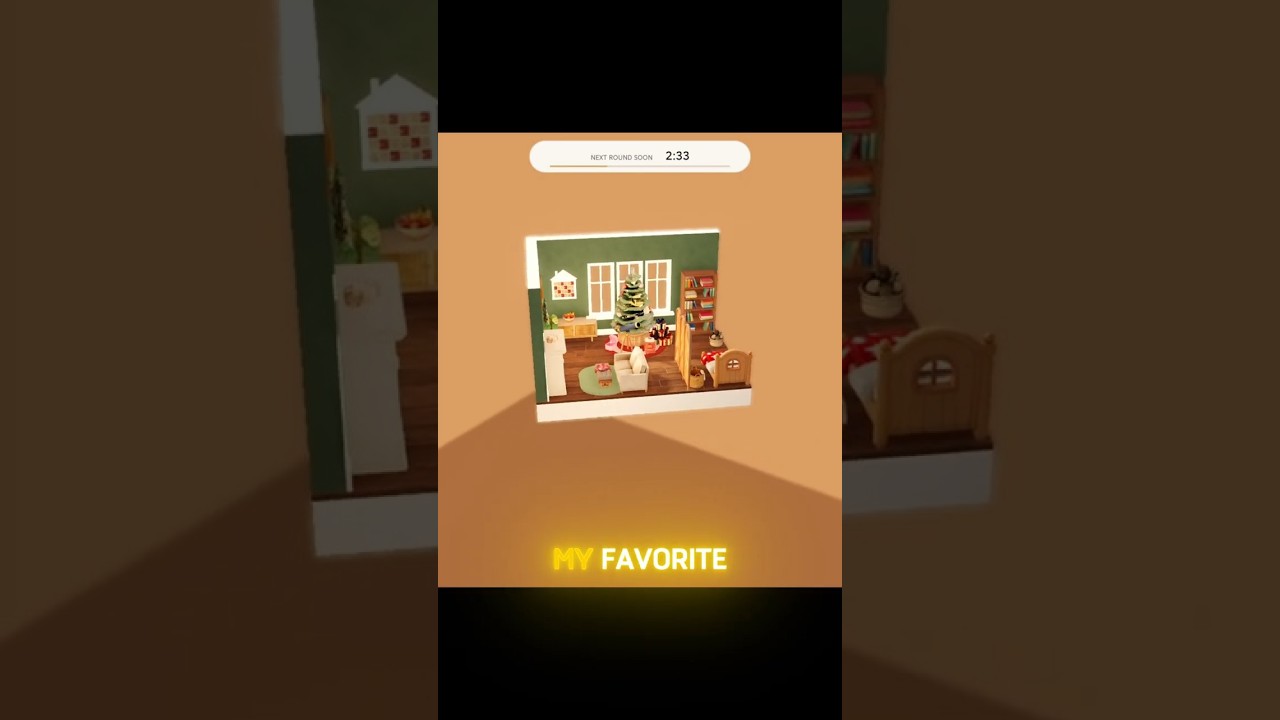
Tiny Rooms: Design And Decorate is a cozy Roblox decorating competition from OrchardField Studios. Each round gives you a theme, a compact room shell, and a catalog of recolorable furniture, rugs, and lamps. You dress the space, then visit other players and vote. The cosiest rooms rise to the top. Servers hold up to twelve players, so every match feels like a small design salon rather than a chaotic lobby.
This guide is your day-one path: how to join, what the first round asks of you, how the UI works, how to place and recolor pieces, how voting works, and why leveling for free spins matters. When you want deeper mechanics, jump to Controls, How to Win, Theme Design Tips, Codes, and the Tier List.
Join the game and enter a round
Open the Tiny Rooms experience on Roblox and wait for a lobby or round transition. The game released on 26 October 2026 as a free-to-play experience, so you do not need a paid pass to start decorating. Once you are in, read the theme banner carefully. Themes lean soft and domestic: autumn bedrooms, grandma living rooms, snug attics, balcony rooms, and two-storey lofts appear often. Your job is not to fill every tile; it is to make the room feel lived-in and warm under that prompt.
If the lobby feels crowded or the UI fails to load furniture previews, leave and rejoin once. Similar decorate games often clear stuck build menus after a clean session start. Keep graphics readable enough to judge soft colours and lamp glow; cozy voting rewards warmth you can actually see.
First-round checklist
Treat your first round as a practice pass, not a portfolio piece.
- Read the theme and pick one mood word (for example soft autumn, nostalgic, lofted, or balcony breeze).
- Place a large anchor first: bed, sofa, or main rug so the floor plan has a center.
- Add lighting early. Warm lamps do more for cozy votes than a pile of tiny props.
- Recolor furniture toward a short palette of two or three soft colours instead of rainbow clutter.
- Leave walking space. Voters tour rooms; blocked paths feel unfinished.
- Save the last minute for one focal tweak (lamp angle, pillow stack, or plant corner) rather than ten new objects.
You will improve faster by finishing clean rooms than by chasing every catalog item on day one.
UI basics you should learn immediately
Expect a theme readout, a furniture catalog, placement previews, recolor or swatch controls, and a timer or phase indicator when the round moves from build to visit and vote. Catalog categories usually group seating, beds, rugs, lamps, plants, wall pieces, and small tables. Soft colours and fluffy rugs are the visual language of the game; lean into that language instead of fighting it with harsh neon or empty floors.
Camera control matters as much as furniture choice. Zoom out to judge balance, then zoom in to nest lamps and rugs against walls. On mobile, prefer fewer large pieces so fat-finger placement does not wreck alignment. On PC, use precise clicks to nudge pieces into corners and along baseboards. Full input detail lives on the Controls page.
Placing and recoloring furniture
Placement flow is simple once you have done it twice: pick from the catalog, preview on a valid floor or wall surface, confirm, then rotate until the piece faces the room’s natural path. Recolor while the piece is selected. Soft creams, muted terracotta, dusty rose, sage, and warm wood tones photograph well under lamp light and match the cozy brief.
Rugs define zones. A fluffy rug under a seating group or bed sells the idea of a finished nest. Lamps sell time of day: a single warm lamp beside a chair reads evening tea; twin bedside lamps read sleep-ready. Plants soften hard corners. Wall decor should support the theme rather than shout over it. For which categories tend to swing votes, skim the Furniture Tier List after you finish this primer.
Avoid stacking every shelf you own. Tiny Rooms spaces are small by design. Three thoughtful pieces with matching swatches usually beat twelve mismatched props. If two items fight for the same wall, keep the one that reinforces the theme and delete the other.
Visiting and voting
When build time ends, you tour other rooms and cast votes. Cosiness wins. Rooms that feel soft, lit, and theme-true collect more love than rooms that are merely full. Vote honestly: rewarding clear theme reads helps the lobby stay fun and teaches you what works.
While you visit, take mental notes. Which lamp placements feel inviting? Which rugs ground the furniture? Where did empty floor make a room feel unfinished? Those observations feed your next build more than any single tip list. Pair this habit with the strategies on How to Win once you want deliberate vote farming instead of casual practice.
Leveling and free spins
Progression rewards level-ups with free spins. Treat spins as a steady unlock path rather than a slot machine you must force every minute. Play complete rounds, vote thoughtfully, and claim level rewards when they appear. Free spins stretch your catalog without requiring Robux, which matters if you are learning palettes before investing.
If the game offers codes for cosmetics or currency boosts, redeem them early so your second and third sessions already feel richer. Keep Codes bookmarked and update claims when new drops appear. Spins and codes both feed the same goal: more furniture options so you can answer themes without repeating the same sofa every match.
What to study after your first hour
After two or three rounds you will know the loop. Specialize next:
- Use Controls if placement, rotation, or recolor feels clumsy on your device.
- Read How to Win for lighting, focal points, clutter control, and visit strategy.
- Open Theme Design Tips before themed evenings so autumn bedrooms, grandma parlours, attics, balconies, and lofts each have a ready recipe.
- Check the Tier List and Furniture rankings when you wonder which lamps and rugs pull votes most often.
- Skim Codes whenever you see a social drop or update trailer.
Tiny Rooms rewards patience and taste more than speed clicking. Soft colours, warm lamps, and fluffy rugs are not flavour text; they are the scoring language. Build one clear story per room, leave space to walk, light the corners that matter, and vote for the spaces that make you want to sit down. That loop is enough to graduate from first-timer to consistent cozy contender.
Frequently Asked Questions
Quick answers for Tiny Rooms Design And Decorate players.
Do I need Robux to enjoy Tiny Rooms: Design And Decorate?
No. The game is free to play on Roblox. Level-up free spins and occasional codes expand your catalog without a required purchase.
What should I do in my very first round?
Read the theme, place one large anchor piece, add a warm lamp and a fluffy rug, recolor to a short soft palette, then leave walking space for voters.
How do wins work?
After decorating, players visit rooms and vote. Cosy, theme-faithful builds with clear lighting and focal points tend to collect the most votes.
Where can I learn PC and mobile inputs?
Use the Controls guide for place, move, rotate, recolor, camera, and voting UI tips, including a leave-and-rejoin fix if the build menu sticks.
Which pages should I open after this guide?
Continue with How to Win and Theme Design Tips, then check Codes for rewards and the Furniture Tier List for category priorities.